WordPress Multisite Implementation and Development
- Manage Your Network of Websites From One Place

Do you run several brands, branches, or franchises, and does each of them have its own website? Instead of juggling dozens of separate WordPress installations, passwords, and updates, you can manage the entire network from a single dashboard. We design Multisite architecture to be fast and secure – both from the perspective of the super administrator and the local editors of individual sites. We manage several Multisite networks on a daily basis, including one with over 100 sites. We know how to plan an ecosystem so it stays convenient and resilient to errors.

Get a quote for WordPress Multisite implementation

29 opinii

34 opinie

When is WordPress Multisite the best choice?

  • You manage several brands or branches

    If your company runs several brands, product lines, or regional branches, you don't need to maintain a separate WordPress installation for each one. Multisite lets you connect them into a single network with one login panel, a shared media library, and a unified update system.
  • You're growing a franchise network

    Each franchisee gets their own independent subsite - with access limited to their own products, orders, and content - while you, as the brand owner, hold the super administrator role and full visibility into the entire ecosystem. This is a solution we've already built for networks selling services and products locally.
  • You manage sites for different regions or markets

    If your company operates across different regions of the world, each may require its own adjustments: a separate offer, pricing, content, or simply a different language. Multisite lets you create a separate site for each market while keeping a shared framework and brand identity, giving local teams the freedom to adapt content to the specifics of a given country.
  • You care about consistency and lower implementation costs

    A shared parent theme and set of UI components across all sites in the network mean faster rollout of new sites and lower maintenance costs - a new brand or branch subsite is built on a proven foundation, not from scratch.

What have our clients achieved by building WordPress Multisite with us?

93% of our clients gladly recommend our services.

They showed great initiative and creativity, presenting ready-made solutions for approval. Brave New delivered a scalable website that cut content update time by more than 80% and improved Google PageSpeed scores. The team communicated great, delivered tasks on time, and creatively presented solutions, helping the client build stronger authority in international search results.

Marcin Durlak

Managing Partner in IMD

What do you gain by moving your websites to WordPress Multisite?

For a company managing multiple brands, branches, or franchises, implementing Multisite is a change that has a real impact on how your team works and on user experience. Here’s what you can count on:

  • One login for the entire network

    As super administrator, you have access to all sites from a single panel, with no need to remember a dozen passwords or switch between dashboards.

  • Faster security updates

    You update plugins and the WordPress core once, and the change applies to the whole network, eliminating the risk that one forgotten, outdated site becomes a weak point.

  • Consistent branding with local autonomy preserved

    A shared parent theme guarantees visual consistency, while local administrators can manage their site’s content without affecting the rest of the network.

  • Lower cost of launching new sites

    A new brand, branch, or franchisee builds on an existing architecture, so the time and budget needed to launch another site are far smaller than building from scratch.

  • Organized access and user roles

    You precisely define who has access to which site and what permissions they hold, from super administrator through local editors to restricted franchisee roles.

  • Better SEO position through consistent structure

    A unified content architecture and internal linking across the network make it easier for search engine crawlers to index the whole ecosystem, supporting the visibility of every brand.

  • Ready for network growth

    When your company opens a new branch, enters a new market, or signs another franchisee, adding a new site to the existing network is a matter of days, not weeks.

What exactly can we do for you?

  • 1

    WordPress Multisite
    + WooCommerces


    A network of sites where every branch, franchisee, or brand has its own online store with a separate product catalog, orders, and payments.

  • 2

    WordPress Multisite
    + WPML


    A multilingual network of sites with seamless language switching that keeps the visitor on the same page context when the language changes.

  • 3

    WordPress Multisite
    + Elementor or Gutenberg/ACF Pro


    A network of sites built on the editor of your choice, with custom blocks coded whenever the builder's standard features aren't enough.

  • 4

    A site for a company with branches or regional brands

    One network, a shared parent theme, and separate sites for each brand or region, while keeping a consistent visual identity.

  • 5

    A platform for a franchise network

    Each franchisee manages their own site, products, and orders, while you, as the brand owner, have full visibility into the whole ecosystem from the super administrator role.

  • 6

    Migrating multiple separate WordPress installations into a single Multisite network

    Consolidating existing sites (even dozens of them) without losing SEO rankings or content history.

  • 7

    A branch or contact finder integrated with a map

    For networks with multiple locations, so customers can quickly find the nearest location or the right contact person.

  • 8

    Advanced role and permission management

    Precise access control: the super administrator sees the whole network, local editors see only their own site, and franchisees see only their own products and orders.

  • 9

    Payment and third-party system integrations

    E.g. Stripe, fast payments, CRM or ERP integrations at the level of the whole network or individual sites.

  • 10

    A shared media library and UI components

    One place for photos, logos, and graphic elements used across the whole network, speeding up your marketing team's work.

WordPress Multisite:  how does it work and why do growing companies choose it?

WordPress Multisite is an additional WordPress feature that lets you run multiple independent sites on top of a single system installation. Instead of a separate CMS, a separate database, and a separate set of plugins for every site, the whole network runs on a shared core and shared resources - defined during the project (files, themes, and plugins) - while each site keeps its own content, and sometimes images, users, and, if needed, its own distinct look. The whole network is overseen by a super administrator, who manages access, updates, and the network's structure from a single panel, while local administrators of individual sites see and edit only their own part of the ecosystem.

In practice, this means a company with 15 brands or branches doesn’t need to maintain 15 separate WordPress installations – and repeat the same work 15 times with every plugin update or security change.


This administrative time saving is exactly what makes Multisite work best wherever the number of sites in the network keeps growing: in corporate groups, franchise networks, law firms with branches in several countries, or companies managing multiple product brands.


WordPress Multisite vs. separate WordPress installations – what’s the difference?


The key difference lies in management, not in what each individual site can do. If you grow your network by installing separate site after separate site, you get full technical independence, but it costs more time as you scale, since you build and maintain every new site from scratch.


WordPress Multisite flips that balance: setting up the network requires a bit more upfront thought (a well-planned architecture and role structure), but every subsequent site in the network is built faster and more cheaply, since it draws on a ready parent theme and proven components. For companies planning to open more branches, brands, or franchises in the coming years, this is usually the more cost-effective solution over a multi-year horizon, not just at first launch.


Does WordPress Multisite slow down a website?


A well-designed Multisite network isn’t slower than a single WordPress site – each site in the network has its own database tables. This means a site doesn’t “share” load with the others in a way that would affect performance. Speed depends on the same factors as with classic WordPress: code quality, image optimization, hosting, and the number of plugins. With properly prepared architecture, a network of dozens of sites can run just as fast as a single, well-optimized website.

  • Network-wide security

    You update the WordPress core and plugins once, for all sites at the same time, eliminating the risk of a forgotten, outdated installation becoming an entry point for an attack.

  • Scalability without building from scratch

    Adding a new brand, branch, or franchisee to an existing network is a matter of days, sometimes hours: the new site draws on an existing theme and configuration instead of requiring a separate project.

  • A consistent structure that supports SEO

    A unified content architecture and internal linking between the network's sites make it easier for search engine crawlers to index the whole ecosystem, boosting the visibility of every brand at once.

  • Precise division of roles and access

    The super administrator manages the whole network, while local editors or franchisees see only their own area. There's no risk of accidentally interfering with someone else's content.

Our Case Studies

  • IMD

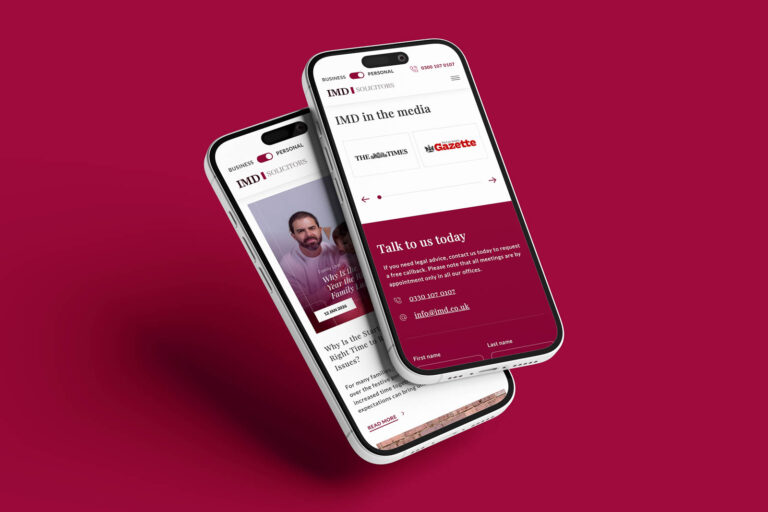
    Website for IMD Law Firm: How WordPress Multisite Implementation Boosted International Brand Visibility?

    Zobacz
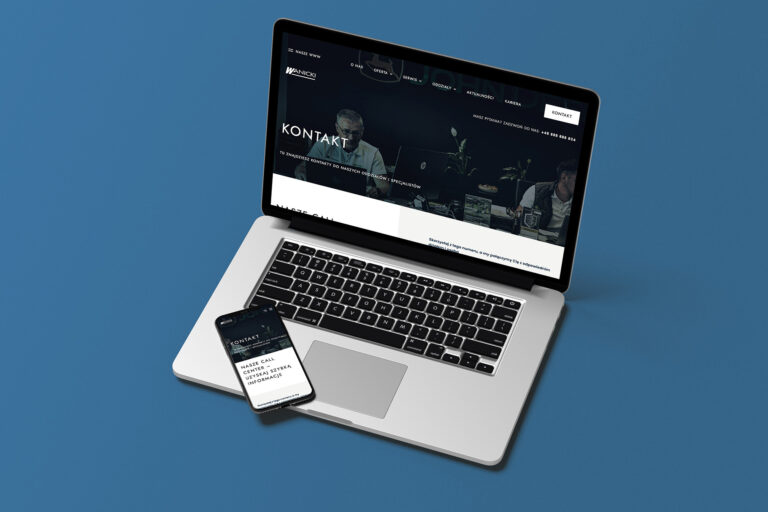
  • Wizualizacja strony kontaktowej w wersji mobilnej i desktopowejWanicki logo

    Wanicki Group

    How to make it easier to manage multiple sites belonging to the same brand? Wanicki Group. WordPress Multisite Implementation.

    Zobacz
  • The Little Sensory logo

    The Little Sensory

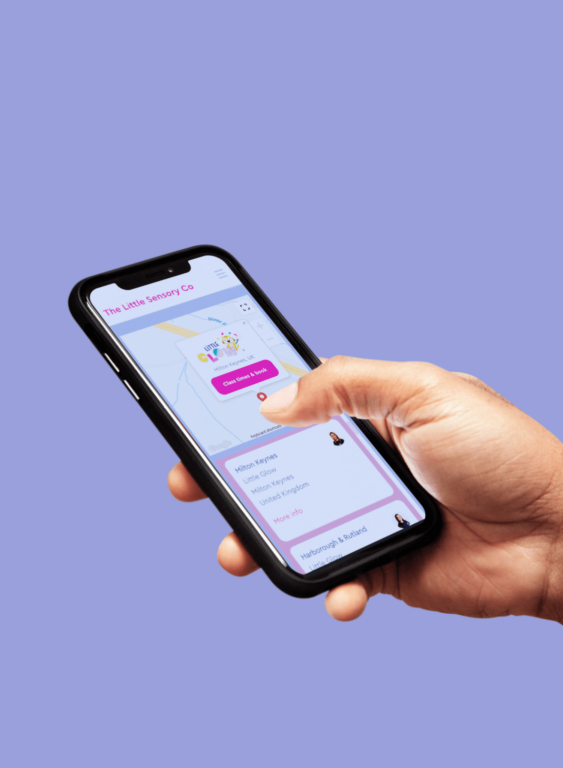
    How did we use WordPress Multisite and WooCommerce to create a sales platform for franchise network?

    Zobacz

Check Frequently Asked Questions

?

Can WordPress Multisite support online stores?

Yes. WordPress Multisite integrates with WooCommerce, so each site in the network can have its own independent store, with a separate product catalog, orders, and payments. We’ve applied this solution when, among other things, building a sales platform for a franchise network, where each franchisee manages only their own product range.

?

Does WordPress Multisite support different language versions for different sites in the network?

Yes. Thanks to WPML integration, you can create separate language versions both within a single site and assign different languages to different sites in the network. This solution works well for international brands that need to manage content in several languages from a single panel.

?

Do all sites in a Multisite network have to look the same?

No. Each site in the network can have its own personalized look: different colors, logo, or section layout. Keeping a shared parent theme and the same technical structure isn’t required, but it is recommended. This way, brands or branches retain their visual identity, and you still manage everything from one place.

?

How many sites can a single WordPress Multisite network support?

There’s no hard limit imposed by WordPress itself. The number of sites in a network mainly depends on server capacity and the quality of the architecture. We ourselves manage a network of more than 100 sites, so we know how to plan such an ecosystem to keep it efficient and easy to maintain even at large scale.

?

Is migrating existing sites to WordPress Multisite safe for SEO rankings?

Yes, provided it’s prepared properly. The key elements are preserving the URL structure, implementing redirects where necessary, and planning content migration without losing link history. With a well-executed process, it’s possible not only to maintain but even to strengthen existing search rankings.

?

Can I move only some of my sites to Multisite and leave the rest separate?

Yes. You don’t have to migrate your entire portfolio at once. We can start by consolidating a few selected sites (e.g. the ones most similar in structure) and add the rest to the network in later stages of the cooperation.

?

Who should have super administrator access in a Multisite network?

The super administrator role gives full visibility and control over the entire network, so we usually assign it to a small group of people: the brand owner, the person managing marketing at the head office level, or a trusted IT administrator. Local editors and franchisees get access restricted solely to their own site.

?

Does WordPress Multisite require different hosting than standard WordPress?

It doesn’t have to be a special hosting plan dedicated exclusively to Multisite, but with a larger number of sites, it’s worth making sure the server has adequate resources (RAM, CPU) and a configuration adapted to the traffic generated by the whole network, not just a single site.